The terminal underneath
Panes, tabs, search, history, a system monitor and a command palette — the terminal fundamentals, done properly.
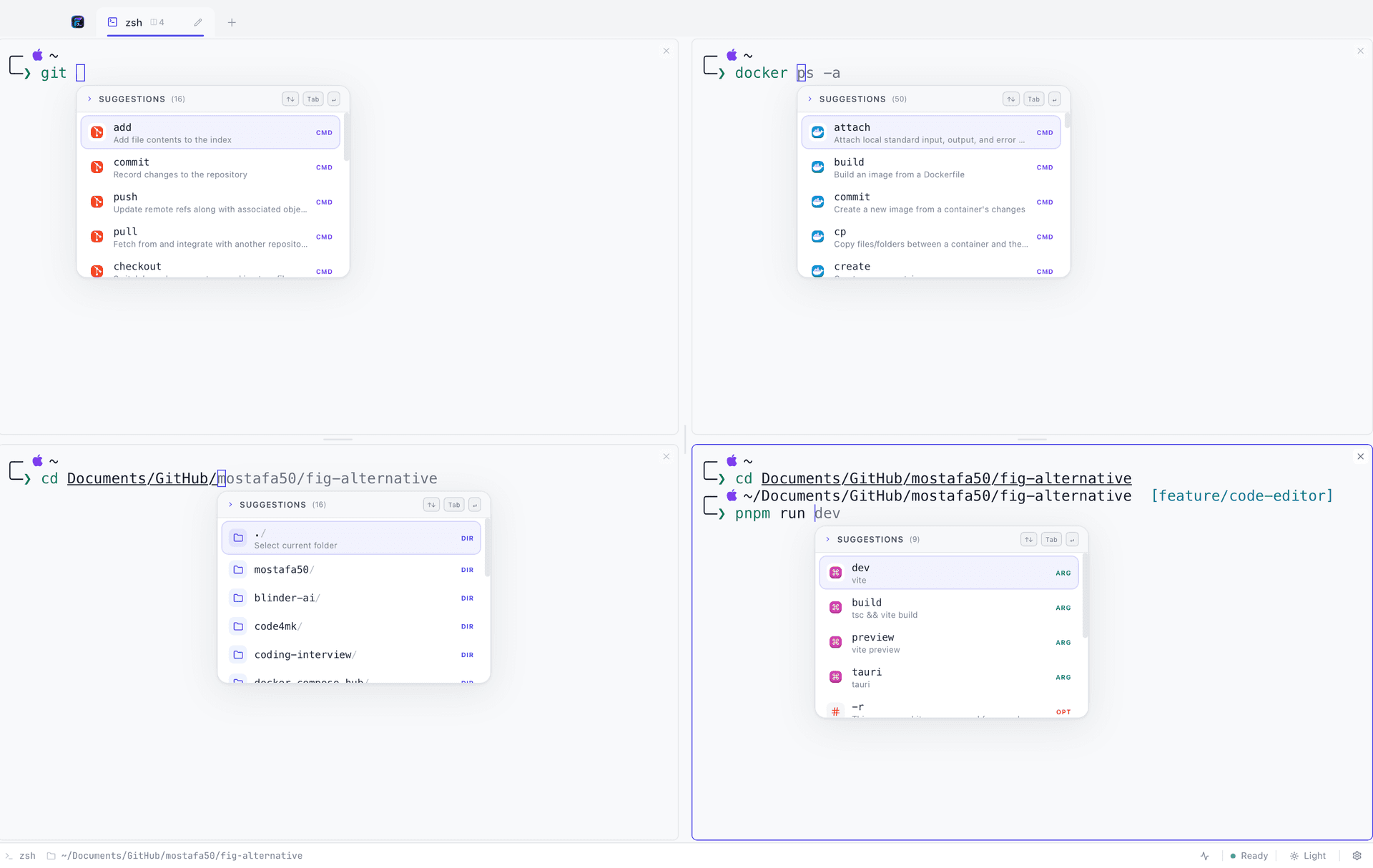
Four panes, one tab
Split horizontally or vertically, resize by dragging. Every pane is a real PTY with its own working directory and its own completions.
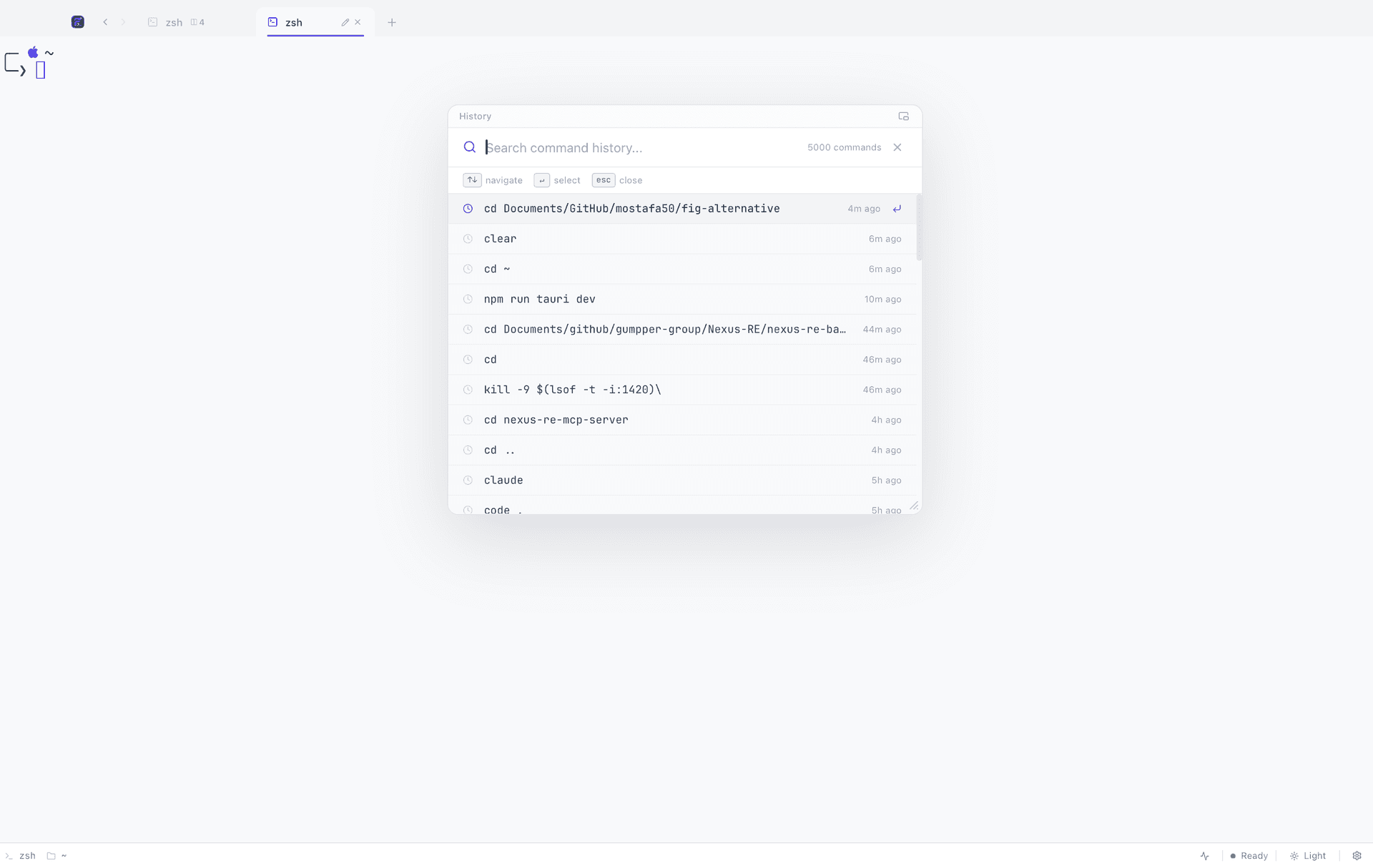
Everything you have run
Fuzzy-search your shell history, then pin the panel picture-in-picture so it stays on top while you keep typing.
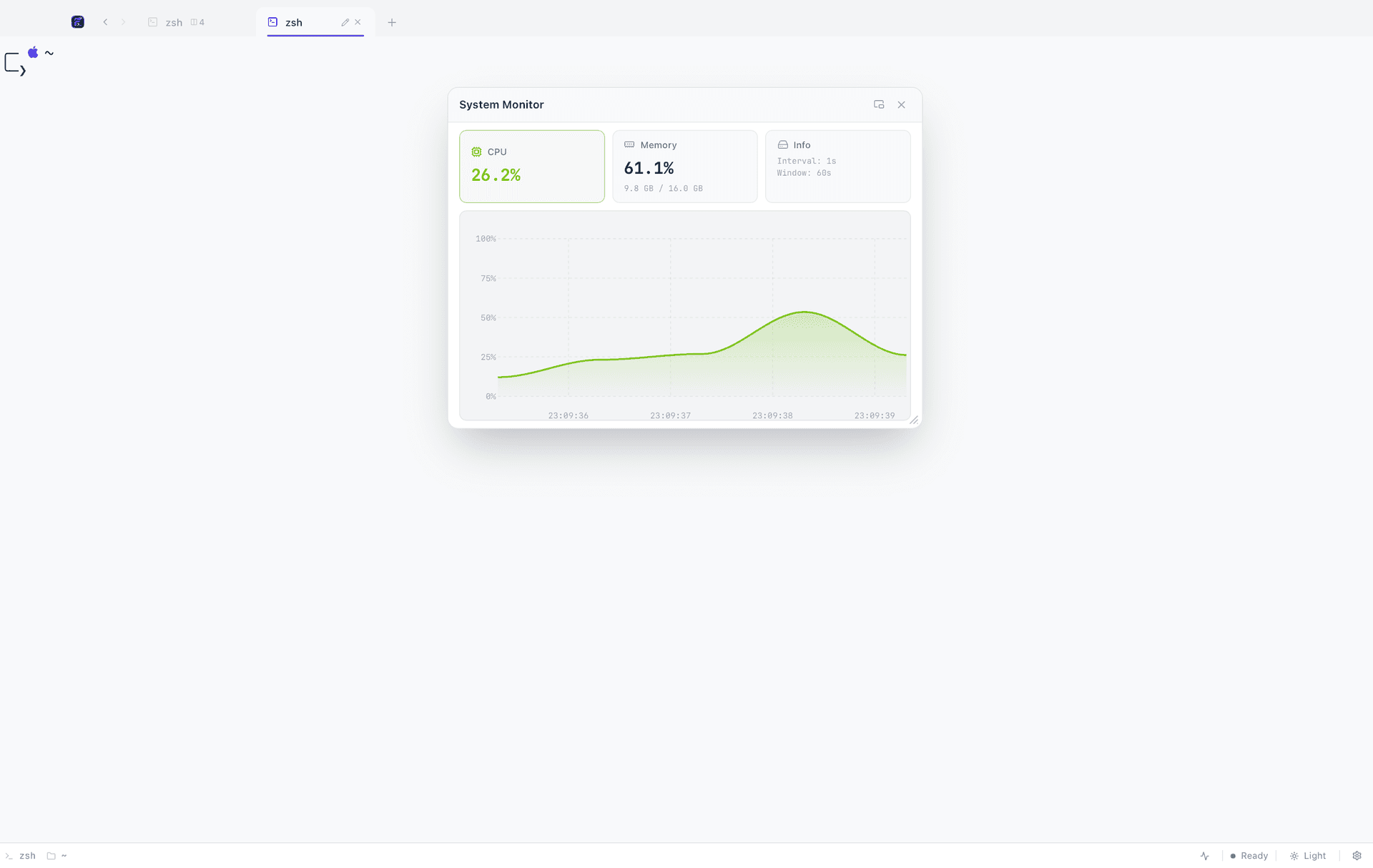
Watch the machine
Live CPU and memory charts in a draggable modal, so a runaway build is obvious before the fans tell you.
Panes and tabs
Up to four resizable panes per tab, split either way without leaving the keyboard. Tabs drag to reorder and rename inline, and a new tab can open already sitting in the active directory — the small thing you reach for a dozen times a day.
- ⌘D / ⌘⇧D
- Split the active pane horizontally or vertically.
- ⌘T / ⌘⇧T
- New tab, or a new tab in the same directory.
- ⌘1–9
- Jump straight to a tab.
Search that stays out of the way
⌘F finds text in the active pane. ⌘R opens a fuzzy search across your whole shell history — and unlike the shell's own reverse-search, it can be pinned picture-in-picture, so the list stays visible while you type the command it reminded you of.
A monitor, a palette and a theme picker
⌘⇧M puts live CPU and memory charts in a draggable modal. ⌘⇧P opens a palette holding every action the app has, each spelled for the platform you are on. ⌘⇧L flips between light and dark. And on zsh platforms, Settings browses your Oh My Zsh themes with the prompt fully rendered — custom themes included — applying live with no dotfile to edit.
Native performance
A Rust PTY backend behind xterm.js rendering, in a Tauri 2 shell rather than an Electron one. Input has no perceptible latency, memory stays in tens of megabytes, and every heavy panel — the editor, the browser, the API client, the drawing board — is loaded the first time you open it, so none of them cost anything at launch.
FAQ
Terminal, in short
How many panes can one tab hold?
Four, split horizontally, vertically or both. Each one is an independent PTY with its own working directory, its own scrollback and its own autocomplete.
Does the system monitor cost performance?
It samples only while the modal is open, and the charts are drawn from a small rolling window. Closing it stops the sampling entirely.
Does the Oh My Zsh theme picker work on Windows?
No. It reads ~/.zshrc and so only applies where zsh does — macOS and Linux. The Windows equivalent would be Oh My Posh, which FigyTerm does not manage yet.
Give your terminal its whole workbench
Free, MIT licensed, and entirely local. On macOS one command does it; Linux and Windows are one download away.
curl -fsSL https://raw.githubusercontent.com/code4mk/figyterm/main/install.sh | sh