Intelligent autocomplete
IDE-level completions for your shell — subcommands, flags, arguments and paths, computed on your machine as you type.
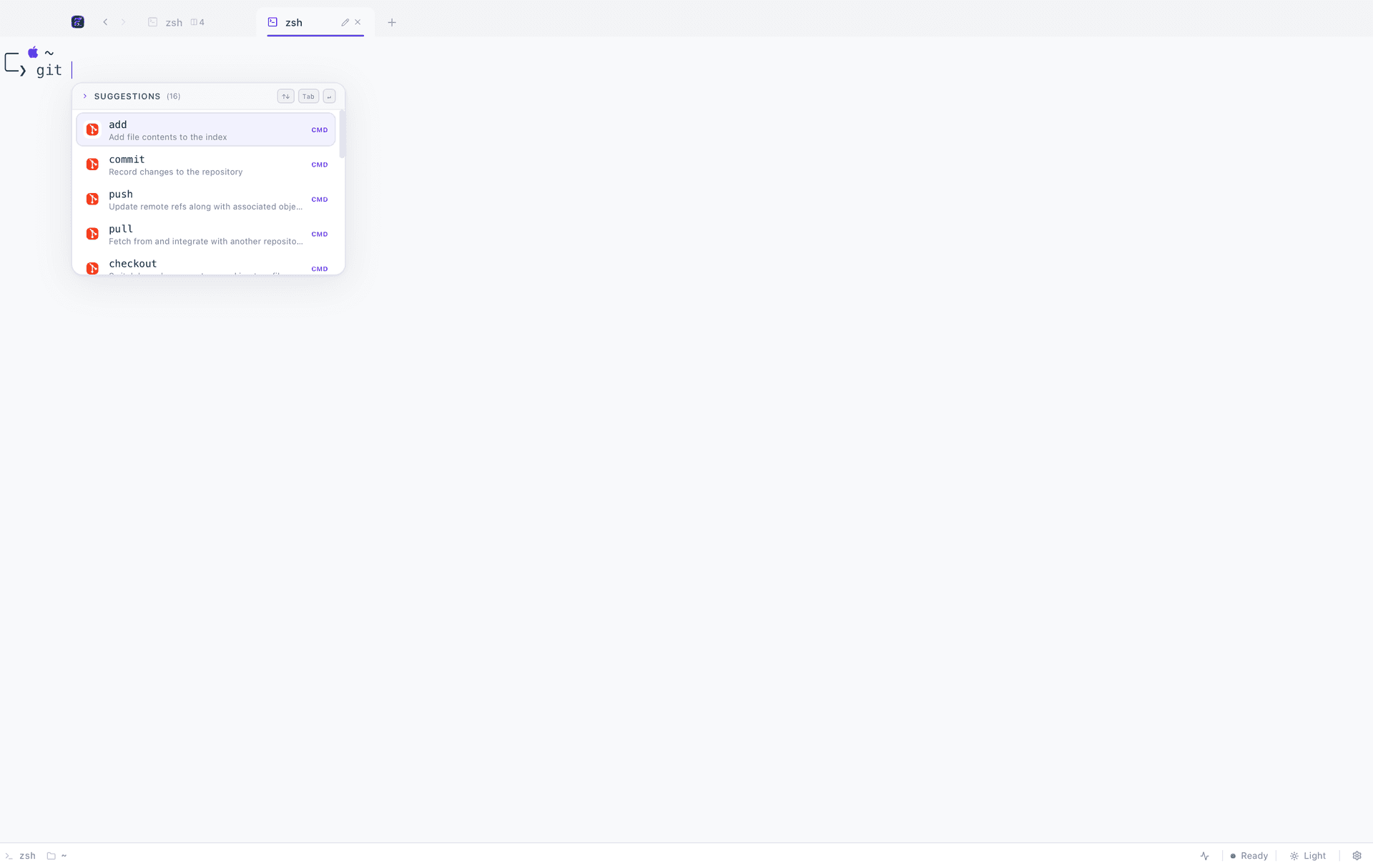
Suggestions as you type
The popup opens on the first keystroke of an argument and narrows with every letter after it. Tab accepts, arrows navigate, Esc dismisses.
Fig's spec format
A spec is a plain TypeScript description of a command. FigyTerm reads the format Fig used, so completions written for it work here unchanged.
Nothing leaves the machine
Matching happens in the Rust backend against specs on disk. The command you are halfway through typing is never sent anywhere.
It knows what the command means
A completion engine that only knows filenames is a filename completer. FigyTerm reads a description of each command — its subcommands, the options each of those takes, and what kind of argument sits in each position — so the list you get after `git ` is git's subcommands with their own descriptions, and the list after `git checkout ` is your branches.
- Subcommands
- With the one-line description the tool's own help gives them.
- Options and flags
- Long and short forms, filtered to the subcommand you are actually in.
- Dynamic arguments
- Branches for git, services for docker compose, scripts read out of package.json or pyproject.toml.
Paths, ordered the way you work
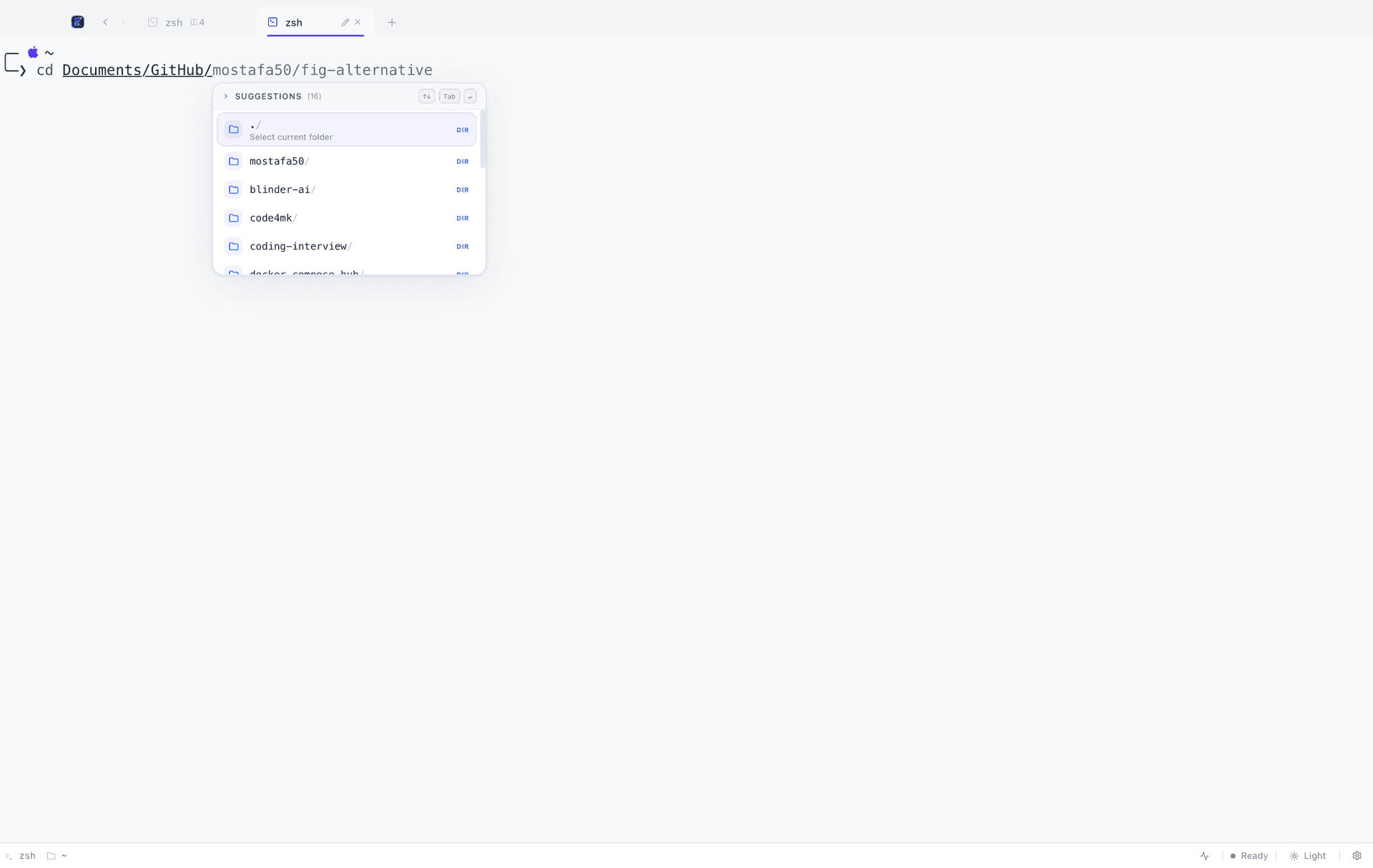
Path completion reads the filesystem natively rather than shelling out, and orders what it finds by how recently you were there. The folder you visited four minutes ago is at the top of the list, not sorted alphabetically underneath a directory you have never opened.
Eight commands covered out of the box
Built-in specs ship for the tools most sessions are spent in, and adding your own CLI is a single TypeScript file in the repository. Anything without a spec still gets path, directory and shell built-in completion.
git              subcommands, branches, options
docker           commands, containers, images, options
docker compose   services, commands, options
npm / pnpm       scripts from package.json, packages, options
yarn             scripts, packages, options
uv               scripts from pyproject.toml, options
cd directories, recent-first orderingFAQ
Autocomplete, in short
Does autocomplete work with my shell?
Yes. Completions are computed by FigyTerm itself rather than by the shell, so zsh, bash, fish, PowerShell 7 and cmd.exe all behave the same. Nothing is installed into your dotfiles and no shell plugin is required.
Can I add autocomplete for my own CLI?
Yes. Specs are plain TypeScript definitions in the repository, and the spec authoring guide walks through adding a new command. Pull requests for new specs are welcome.
Is it slower than my shell's own completion?
No. Matching runs in Rust against specs already in memory, with no subprocess to spawn and no network round-trip, so the popup keeps up with typing.
Keep reading
Related features
Give your terminal its whole workbench
Free, MIT licensed, and entirely local. On macOS one command does it; Linux and Windows are one download away.
curl -fsSL https://raw.githubusercontent.com/code4mk/figyterm/main/install.sh | sh