Embedded code editor
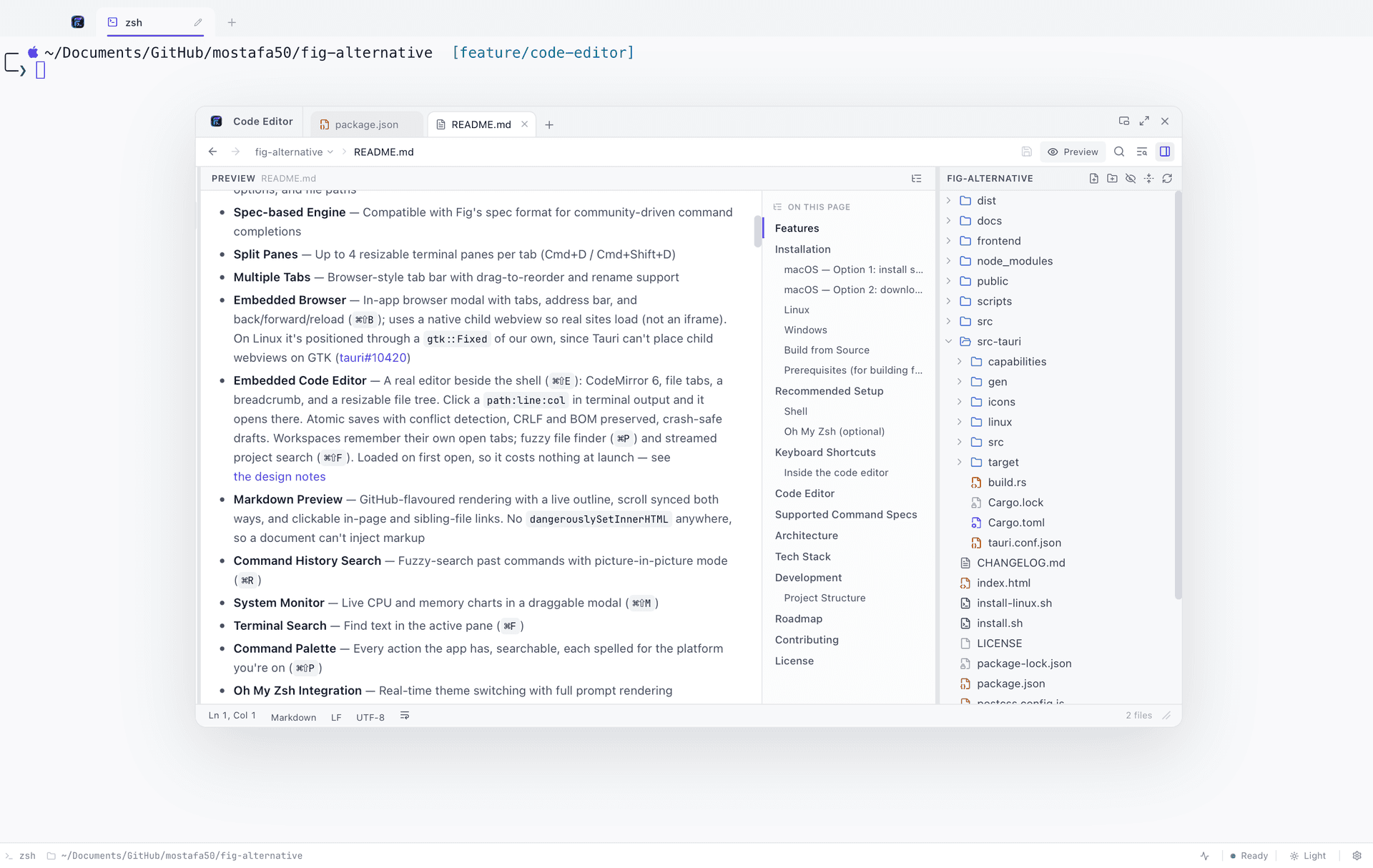
A real editor over the shell — CodeMirror 6, file tabs, a file tree, a fuzzy finder and project-wide search, one shortcut away.
Straight from a stack trace
A `path:line:col` in terminal output is clickable. One click opens the file in the editor with the cursor already on the offending line.
Saves you can trust
Written to a temp file and renamed over the target, so a crash cannot leave half a file. CRLF and byte-order marks are written back exactly as found.
Find anything
⌘P fuzzy-matches a file from a few letters. ⌘⇧F streams project-wide results as they arrive rather than making you wait for the whole scan.
The shape of it
File tabs across the top, a breadcrumb under them, and a resizable file tree — the layout an editor is expected to have, over the shell rather than instead of it. Each workspace remembers its own open tabs, so reopening the editor in a project puts you back where you left it. It is loaded the first time you open it, which is why it costs nothing at launch.
- CodeMirror 6
- Multi-cursor, folding, bracket matching and per-language highlighting across the languages the editor ships grammars for.
- File tree
- Resizable, with git status badged onto changed files.
- Quick open
- ⌘P and a few letters — `edmod` finds `EditorModal.tsx`.
Markdown, rendered
GitHub-flavoured rendering with a live outline beside it, scrolling synced both ways, and links that follow through to sibling files. Handy for the README you were about to open in something else. No `dangerouslySetInnerHTML` anywhere in the path, so a document cannot inject markup into the app.
Markdown preview
FigyTerm rendering a Markdown document beside its live outline, with scrolling synced between them
public/screenshots/markdown-preview.pngSearch across the project
⌘⇧F searches the whole project and streams matches in as they are found, grouped by file. Results are live-updating rather than a frozen list, so a large repository stays usable while the scan is still running.
Project search
Streamed project-wide search results in FigyTerm's editor, grouped by file
public/screenshots/project-search.pngBuilt carefully, because it writes to your disk
This is the part that got the most attention, because an editor that loses work is worse than no editor.
- Atomic saves
- Written to a temp file and renamed over the target. A crash mid-save cannot leave a half-written file.
- Conflict detection
- Every save carries the timestamp the file was opened at. If something else changed it meanwhile you are offered overwrite, reload or cancel — never a silent loss.
- Bytes preserved
- Line endings and byte-order marks are written back exactly as found, so a one-line edit stays a one-line diff on Windows.
- Crash-safe drafts
- Unsaved buffers are journalled while you type and offered back after a crash.
- Deletes go to the trash
- Not to nowhere.
FAQ
Code editor, in short
Is the built-in editor meant to replace my IDE?
No, and it does not pretend to. It is for the edits you would otherwise break flow for — patch a config, fix the line a stack trace just pointed at, read a README. There is no debugger and no test runner. Your editor keeps your project; this one keeps you in the terminal.
Does it have IntelliSense?
Optionally. Word completion from the open document works with no setup, and language server support adds real diagnostics, hover, completion, go-to-definition and rename using servers you already have installed.
Does opening the editor slow the terminal down?
No. The editor is loaded the first time you open it, not at launch, so a session that never opens it never pays for it.
Keep reading
Related features
Give your terminal its whole workbench
Free, MIT licensed, and entirely local. On macOS one command does it; Linux and Windows are one download away.
curl -fsSL https://raw.githubusercontent.com/code4mk/figyterm/main/install.sh | sh